DocsConnect
Message your Box on Telegram
Make your own private Telegram bot, then let us switch it on in a short support session so you can chat with your Box from Telegram.
Chat with your Box from Telegram: make a private bot, then we switch it on with you in a short support session.
You need Telegram on your phone and a device that opens box.local (Sign in and add devices). To book a session, email michael.maddison@voxcura.io.
Step 1: Make your Telegram bot
- In Telegram, search for @BotFather. Pick the one with the blue check.
- Start a chat and send /newbot.
- Send a name for your bot, for example "My Box".
- Send a username ending in bot, for example
asha_box_bot. - Copy the token BotFather replies with. It looks like
123456789:AAE...xyz.
Step 2: Let us switch Telegram on
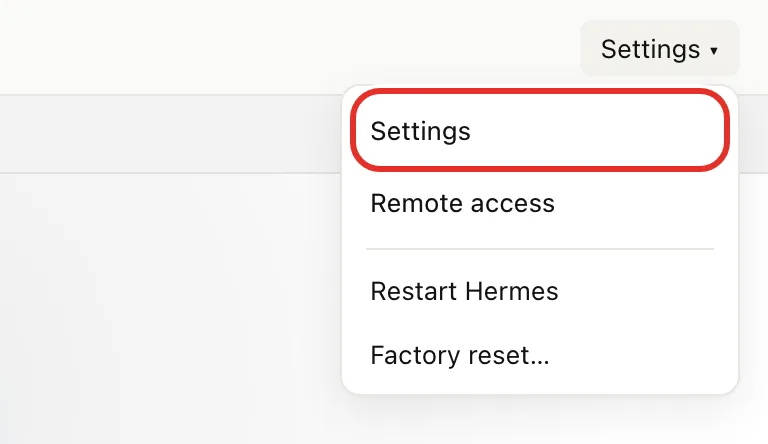
- Open box.local, tap Settings at the top right, then tap Settings.
- Tap Get help, then tap Allow remote support.
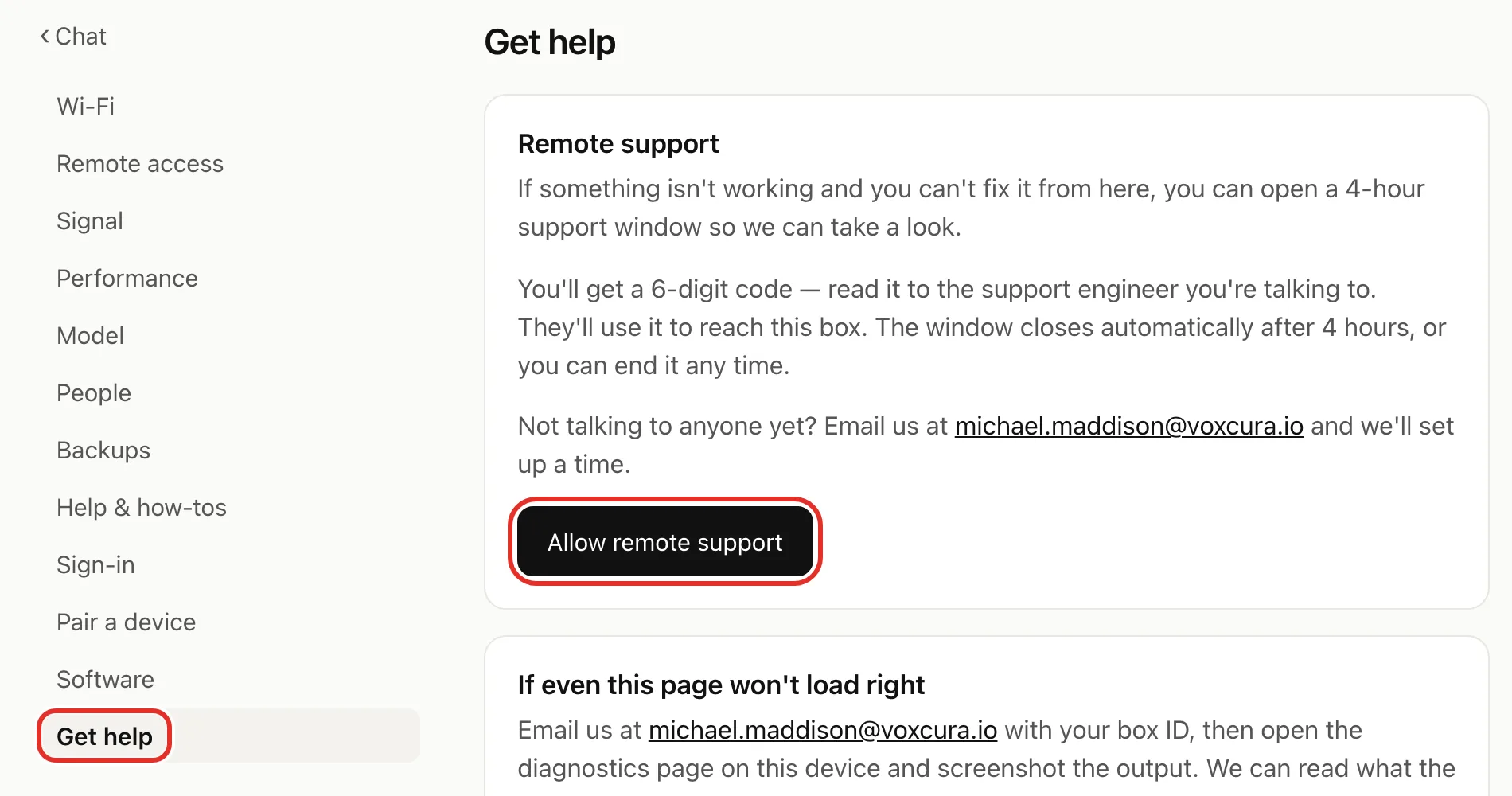
- Read the 6-digit code to the support engineer.
- When they're ready, type the same code into the box below it.
- Tap Start session.
- Give them your bot token when they ask.
The session closes by itself after 4 hours. To end it sooner, tap End session on Get help. See Get help.
Step 3: Say hi
- In Telegram, open a chat with your new bot.
- Send Hi. Your assistant replies there.
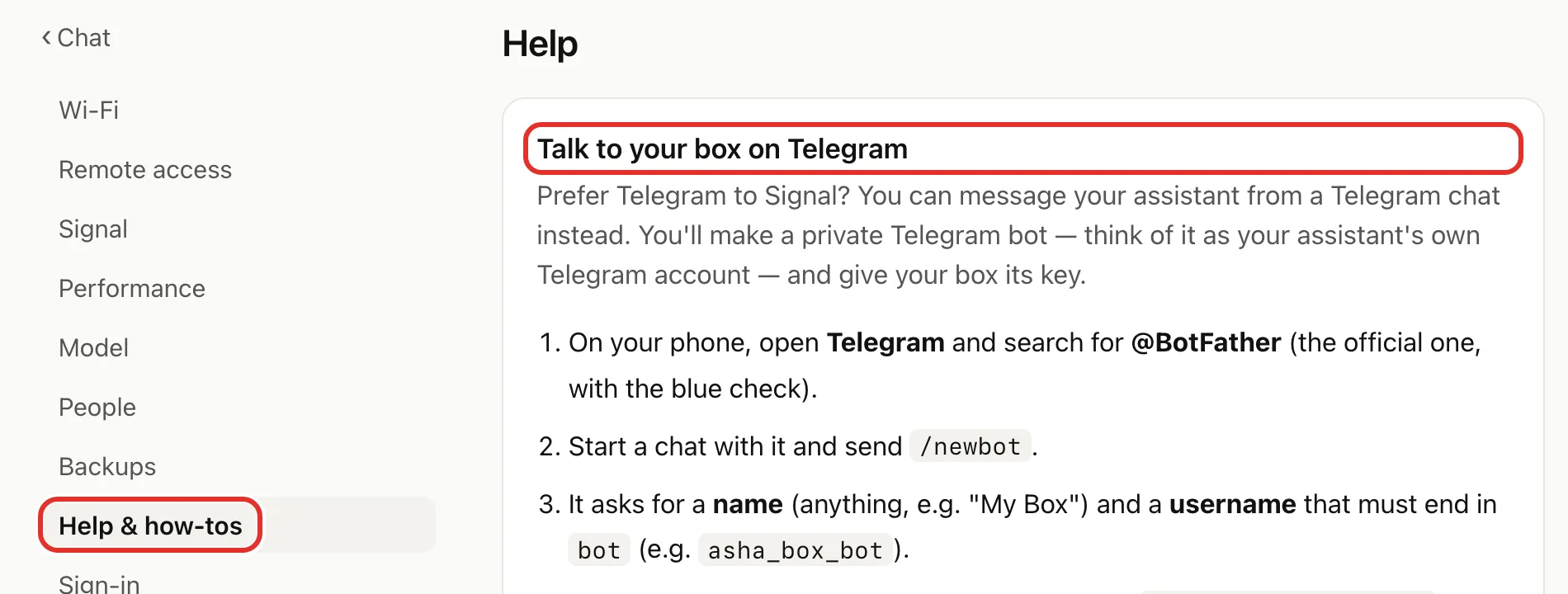
Find these steps on your Box
Tap Settings, then Settings, then Help & how-tos. Look for Talk to your box on Telegram.
If something goes wrong
- Username taken: try another one ending in bot.
- Code rejected or expired (codes last 10 minutes): tap Try again and read the new code to the engineer.
- Still stuck: email michael.maddison@voxcura.io. We reply within one business day. Prefer Signal? See Message your Box on Signal.
Verified on Box software 0.2.8 · 2026-10-05